 Barrier Watch
Accessibility checker for Shopify stores
A Shopify accessibility checker that keeps a dated record.
Not a widget. Nothing is added to your shop.
We open your Shopify store in a real browser every week, check it against the automated part of WCAG, write down what we find and when we found it, and record the date each thing was fixed. When someone asks what you have been doing about accessibility, you have an answer with dates on it.
You do not need to learn what WCAG means. There are 105 rules and four acronyms in this field. We read them so you do not have to. You get a list in plain words, with dates.
What the weekly accessibility check gives you
- A list you can act on
- Every finding says who it blocks, what they run into, and what to change — in plain words, not rule codes. Each one points at the page and the markup.
- Dates that hold up
- Found 12 March. Fixed 25 March. Confirmed by four checks since. Came back 13 October after a theme update. That history is the product.
- A weekly check that runs without you
- Every Monday, whether or not anyone remembers. You get an email when something you already fixed comes back.
- An accessibility statement built from your record
- EU law asks every online shop to explain publicly how it works on accessibility. We write that document from what actually happened on your shop, rather than from a template of good intentions. What an accessibility statement should say.
What it looks like in your Shopify admin
Barrier Watch lives inside your Shopify admin. These are real screens from a shop we check — the shop name is a placeholder, everything else is what the app actually produced.
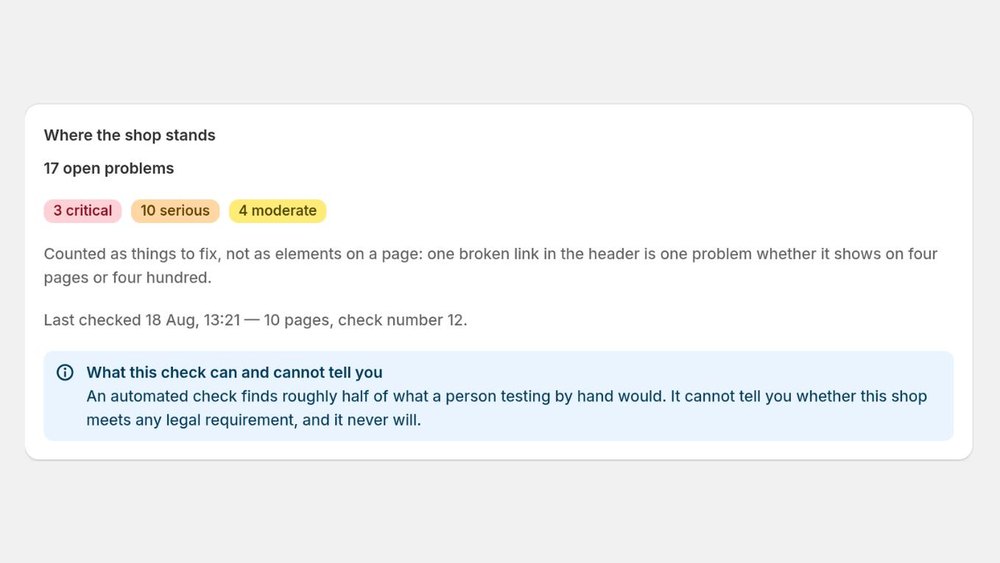
The summary. Counts of problems, not a score out of a hundred — and the limits of the check stated on the same screen, not in a footnote. Click to enlarge. 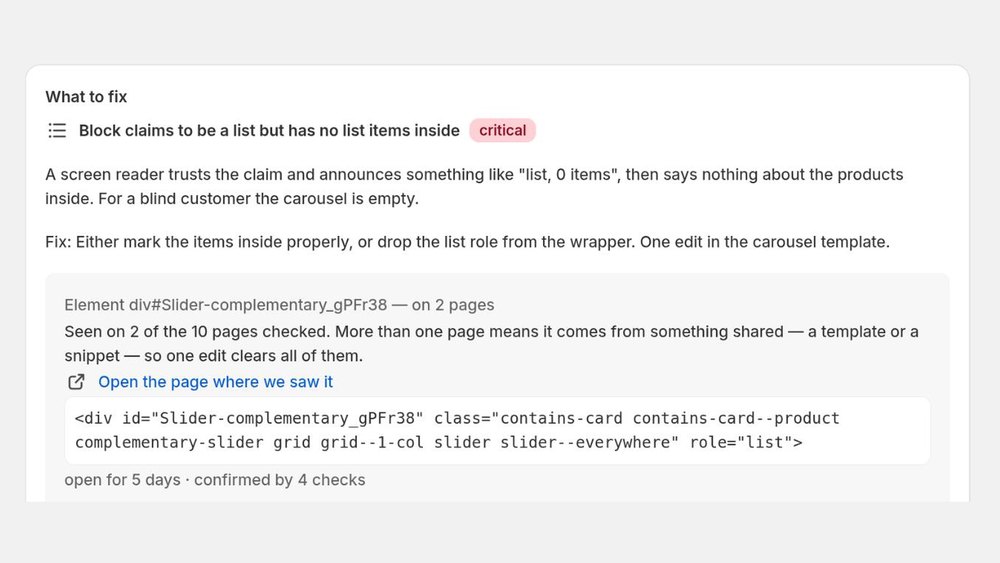
One finding. Who it blocks, what they run into, what to change — and at the bottom the dates: how long it has been open and how many checks have seen it. Click to enlarge. 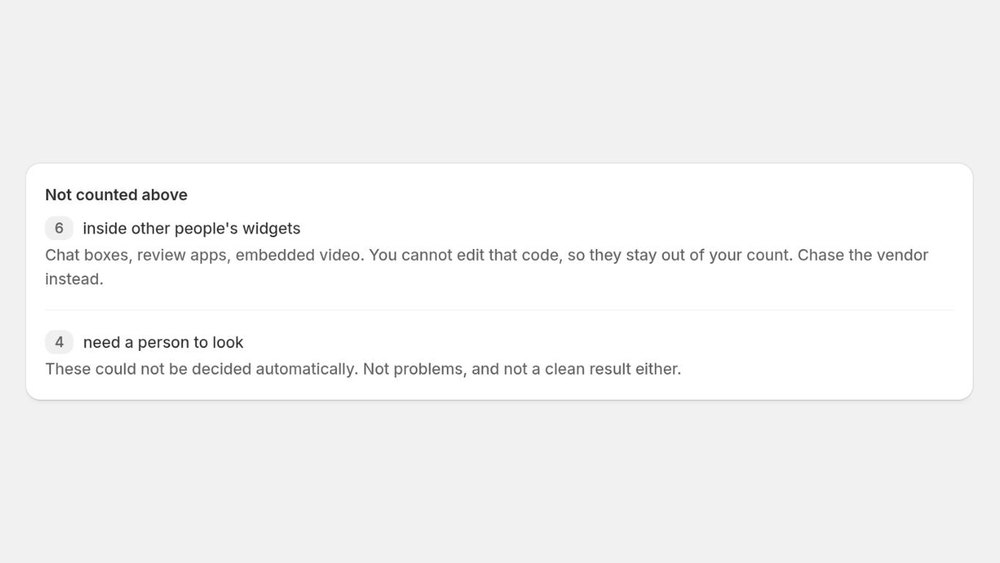
What the number deliberately leaves out. Someone else’s widget is not the merchant’s to fix, and an undecided check is not a clean result. Click to enlarge. 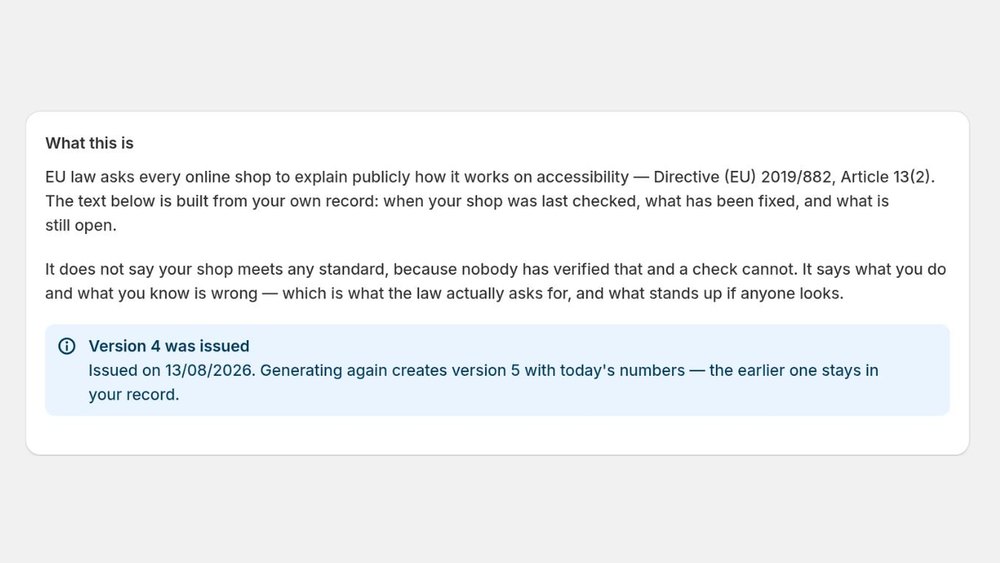
The statement generator. Every version is kept, so the document has a history rather than a last-modified date. Click to enlarge.
ADA, EAA and WCAG in plain words
- WCAG — the Web Content Accessibility Guidelines, the yardstick almost everyone measures a website against. Our weekly check runs its automated rules.
- ADA — the US civil rights law that website accessibility lawsuits are filed under. What ADA compliance means for a Shopify store.
- EAA — the European Accessibility Act, which has applied to online shops selling to EU consumers since 28 June 2025. The EAA and your Shopify store.
We help with the work these laws are about — finding barriers, recording fixes, publishing a statement. We do not say your store complies; nobody can say that from an automated check.
Why we do not add an accessibility widget
An overlay widget is the usual answer in this category. Three things are worth knowing about it.
- A widget does not change your shop. It adds controls on top of the page. The unlabelled button, the carousel that traps a keyboard, the contrast that fails — all of it stays exactly as it was in your theme.
- A widget does not keep you out of court. UsableNet, which tracks these cases, reports that about 20% of the businesses sued over website accessibility already had a widget or overlay installed.
- Promising compliance is itself a risk. In 2025 the US Federal Trade Commission fined an overlay vendor $1 million over the way the product was advertised.
We add nothing to your storefront. Your customers see no difference. We look, we write it down, you decide what to fix. More on accessibility widgets.
What an automated accessibility check cannot do
- We do not say your shop complies with any law. Nobody can say that from an automated check.
- We do not fix your shop. You or your developer make the change; we record when it happened.
- We do not catch everything. Automated checks find roughly half of real accessibility problems, and that is true of every tool, including the expensive ones. What a checker finds and what to test by hand.
Half is not a great number. It is just the true one — and it belongs here, not in the footer.
Price: free, or $15 a month for the record
- Free — the snapshot
- Press a button and get today’s list. Once a month, when you remember to. That is roughly what a free tool already gives you.
- $15 a month — the record
- Your shop is checked every Monday whether or not anyone remembers. Every finding carries its dates: when it appeared, when you fixed it, how many checks have confirmed it since, and the day it came back after a theme update. An email arrives when something returns.
Twelve checks a year, made when someone remembers, is not a record. Fifty-two, made whether or not anyone does, is. That is the whole difference, and it is what the money buys.
Sixty pages a check, chosen to cover every kind of page in your shop — home, collections, products, cart, blog. Picked evenly across your whole sitemap, not the first sixty links in it.
Sixty is not a limit we picked to save time; we measured it. On a shop with 25,000 pages, checking five times as many pages found two more problems out of thirty-six. Faults live in templates, not in pages — one broken product page means every product page, and one edit clears them all.
This is the least exciting app in the store. No AI. No badge. No widget. A list, with dates on it.